Mental Model
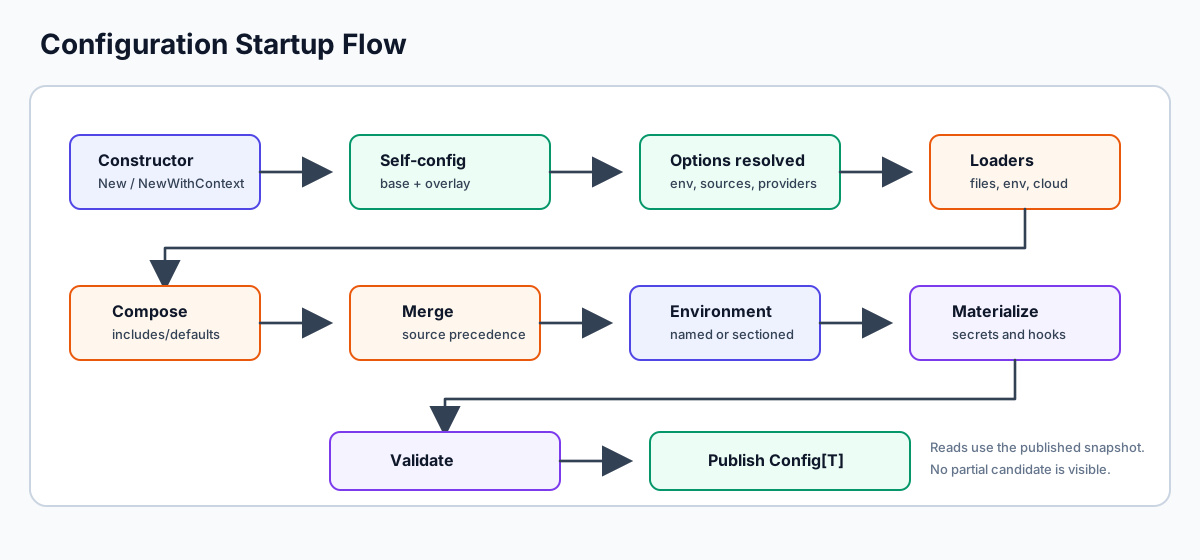
Confii is easiest to understand as a snapshot pipeline. Sources can be files, environment variables, HTTP endpoints, cloud services, or custom loaders, but they all become ordered layers before the application reads anything.
The Short Version
- Confii resolves its own self-config from
.confii.yamland optional.confii.<environment>.yamloverlays. - Loaders read application configuration into maps.
- Composition expands
_includeand_defaults. - Layers merge in order; later layers have higher precedence.
- The active environment is selected from named files or sectioned documents.
- Environment expansion, type casting, secret resolution, and hooks materialize the effective values.
- Validation runs before publication.
- The application receives a complete
Config[T]snapshot.
Normal reads such as Get, Typed, ToDict, Explain, and Export read the
published snapshot. They do not reload files, rerun hooks, or contact secret
providers.
Control Plane vs Application Values
Confii has two different kinds of configuration:
| Kind | Files | Purpose |
|---|---|---|
| Self-config | .confii.yaml, .confii.<env>.yaml |
Configures Confii itself: sources, environment selector, merge strategy, validation, secrets, timeouts |
| Application config | config/default.yaml, config/production.yaml, or your loaders |
Values that decode into your Config[T] model |
Keep selector settings such as default_environment and env_switcher in the
base .confii.yaml. Use environment-specific self-config overlays for
control-plane differences such as operation timeouts or provider settings.
Layers and Precedence
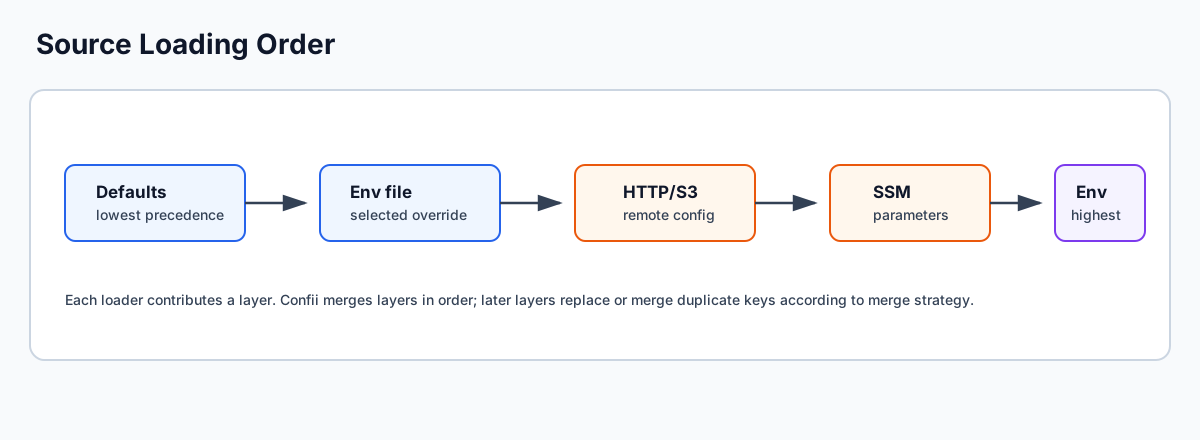
Every loader contributes one layer. Confii merges layers in declared order:
With the recommended named-file model:
sources:
  - type: environment_files
    search_paths: [config]
    default_file: default.yaml
    environment_file: "{environment}.yaml"
APP_ENV=production produces this first part of the layer stack:
The configured merge strategy handles the overlay. There is no separate special-case copy operation.
Environment Models
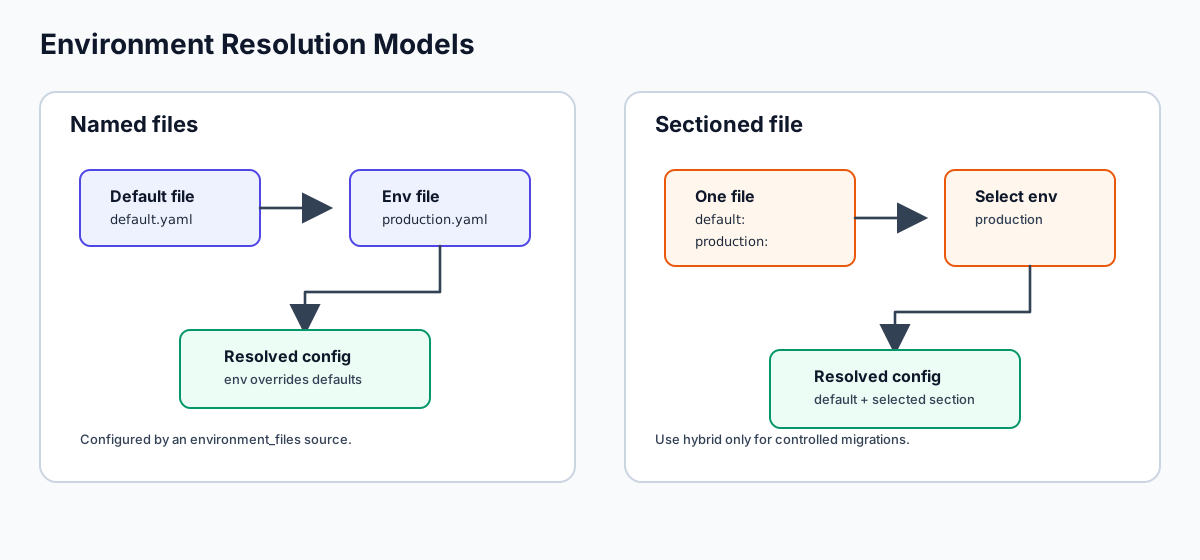
Use one primary environment model:
| Model | Best for | Shape |
|---|---|---|
| Named files | New applications and deployment environments | config/default.yaml + config/<environment>.yaml |
| Sectioned file | Compact local apps or examples | One file with default, development, production sections |
| Hybrid | Controlled migrations only | Both models, with explicit conflict policy |
The environment name is literal. production selects production.yaml;
prod selects prod.yaml. Confii does not alias prod to production or
dev to development.
Candidate Publication
Runtime changes follow the same safety model as startup.
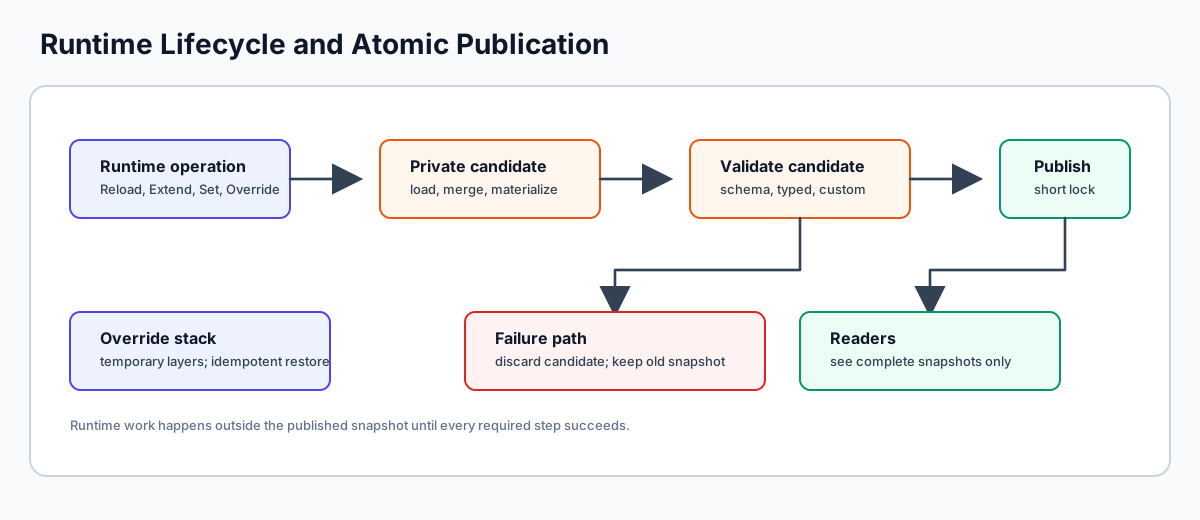
Reload, Extend, Set, Override, RefreshSecrets, and rollback build a
private candidate. Confii publishes that candidate only after loading,
materialization, hooks, and validation succeed. On failure, readers continue to
observe the previous complete snapshot.
Debugging the Snapshot
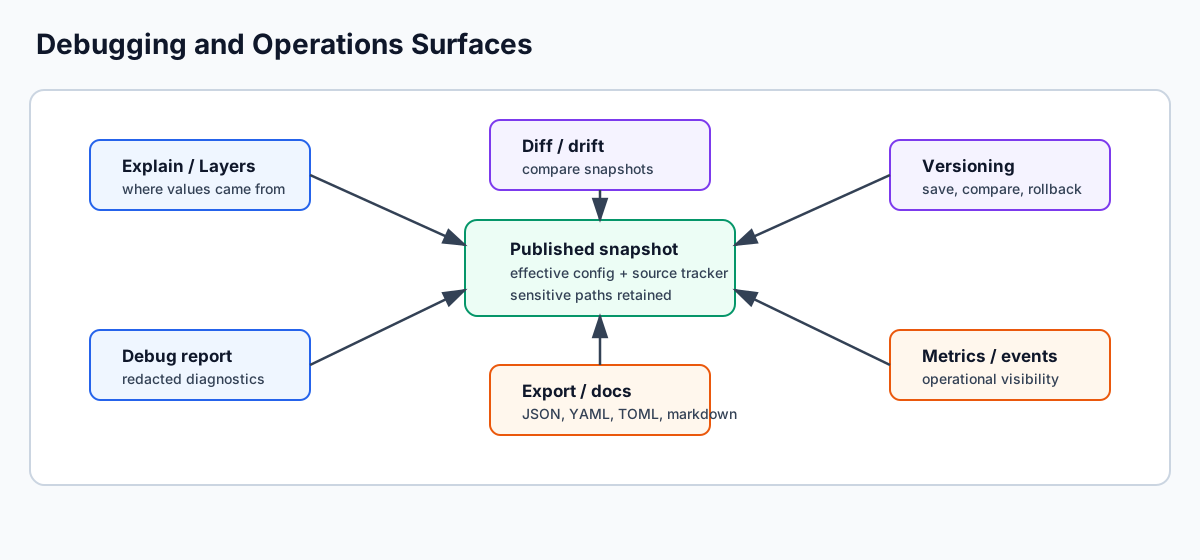
Use these tools when a value is surprising:
| Question | Tool |
|---|---|
| Which sources were loaded, and in what order? | cfg.SourcePlan() or confii plan |
| Where did this value come from? | cfg.Explain("key") or confii explain |
| Which keys came from a source? | cfg.FindKeysFromSource(source) |
| What changed? | cfg.Diff, cfg.DetectDrift, or confii diff |
| Can I export the effective config? | cfg.Export or confii export |
Next Steps
- Start from Learning Paths if you are choosing where to begin.
- Use Recipes for copyable task flows.
- Use Troubleshooting when a value or provider behaves differently than expected.